On this page
Paying bills has never exactly been anyone’s favorite hobby.
When I was newly married, I remember writing a check on Wednesday and counting on it not reaching the bank until Friday, when payday arrived. Those extra couple of days mattered to the budget.
The way we pay has changed. The need to work out what to pay first, and when the money will be available, hasn’t gone away. According to PYMNTS Intelligence, roughly two in three American consumers lived paycheck to paycheck in early 2026, and 20% to 25% regularly struggled to pay their bills.
For many people, paying a bill isn’t just another monthly chore. It’s a cash-flow decision: What needs to get paid now? What can wait until payday? And what’s left for everything else?

A clearer payment experience won’t make an unaffordable bill affordable. But it can keep uncertainty about the payment from becoming another problem. When you look at it that way, making a payment easier is only part of the job.
Convenience still matters. Nobody wants to jump through hoops just to make a payment. But people also need to know what’s coming out, when it’s coming out and whether they have room in their budget to cover it. An unexpected payment can throw things off pretty quickly.
To me, a good bill payment experience should help people plan, not just pay.
A payment can be easy to make and still hard to plan around. If someone doesn’t know when the money will leave their account or what the payment will cover, fewer clicks haven’t solved the whole problem.
For billers, there’s an operational question here, too: How often does a customer need to contact you just to find out what will be withdrawn or whether a payment went through?
Give me some control over when I pay
For years, digital bill payment has focused on making payments faster and easier. That still matters, but people also need the flexibility to choose when and how to pay, based on what works for their budget.
If payday is Friday and a bill is due Monday, scheduling the payment for Friday can help people plan around their paycheck. Where the biller’s terms allow, choosing a payment date or an eligible payment amount gives consumers more flexibility. Make clear whether that amount satisfies the payment due or leaves an amount still owed.
The demand for that control is strong. The 2026 ACI Speedpay Pulse Report found that more than three in five consumers say control over when their bills are paid is very or extremely important, and 57.7% would use flexible due dates if they were offered.
After all, every payment has to fit alongside other bills and everyday expenses. The electric bill doesn’t know the car payment is coming out tomorrow. The credit card company doesn’t know groceries cost more this week. And the phone bill certainly doesn’t check to see whether payday has arrived.
The person paying those bills is the one trying to make it all work.
Set it and forget it… until you check your bank balance
Autopay takes one task off the list: remembering to make the payment. But the withdrawal still must fit the household budget.
Visibility matters as more people combine automatic and one-time payments. The 2026 ACI Speedpay Pulse Report shows that 55.4% of consumers now pay bills using a combination of one-time and automated recurring payments, up from 44.5% in 2019. Over the same period, the share paying exclusively with one-time payments fell from 43.4% to 30.3%.
Signing up for autopay shouldn’t mean losing track of the bill. People still need to know how much is coming out, when it will happen, which account it will come from, and whether anything will remain unpaid.
Make the current bill balance and next scheduled payment easy to find. Explain whether autopay covers the full amount due, a minimum payment, or another amount. If the payment leaves a balance unpaid, show that, too.
A biller can show what is scheduled to come out, but that isn’t the same as showing what someone has available to spend. A reminder with the amount, date, and payment method lets the customer compare the withdrawal with their bank’s available balance and other upcoming expenses.
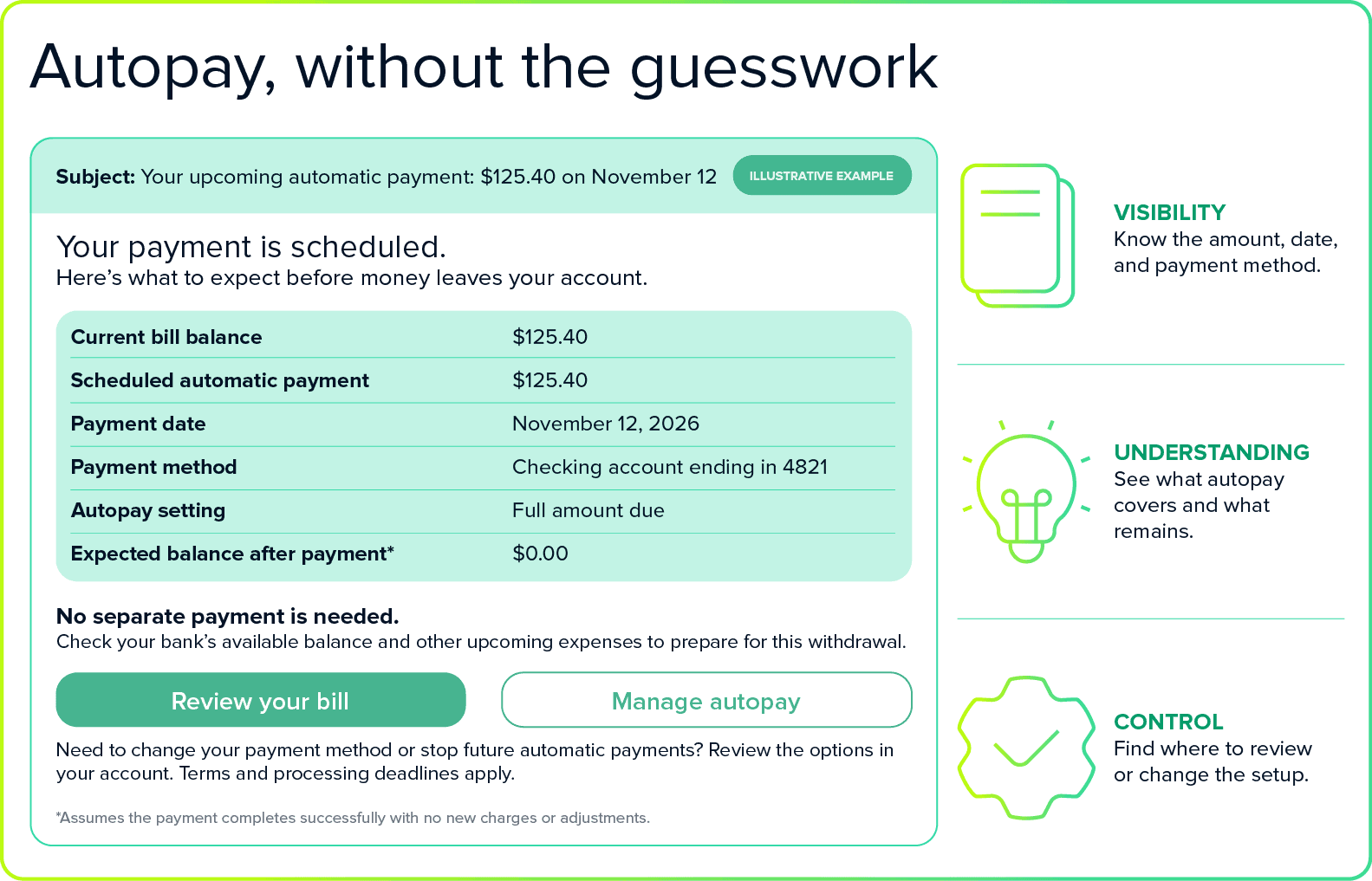
People shouldn’t have to log in every day to keep track. Give them a timely heads-up and an easy way to review or change their settings or stop future automatic payments, subject to the biller’s terms and processing deadlines. If the amount changes, a payment fails, or the payment method needs attention, explain what happened and what they need to do.
Tell me what’s coming
Whether someone uses autopay or makes each payment themselves, they still need to know what needs attention next. Between subscriptions, utilities, loans, insurance, and credit cards, payments can be spread across different days, accounts, and payment methods. Keeping up with all of it can feel like a part-time job.
Payments history can confirm what has already happened. It cannot, on its own, tell someone what they still need to plan for. A useful view of upcoming payments should be distinguished between payments already scheduled and bills that still need action, with clear amounts and dates.
Reminders can also help when a payment is already overdue. In a randomized field trial published in the Journal of Banking & Finance, a single digital reminder sent to credit card customers 30 days overdue raised full repayment of arrears by 2.4 percentage points, and the benefit lasted at least a year. The takeaway here is specific to overdue payment reminders: a reminder can help prompt repayment.
I clicked pay. Not “Let’s play a guessing game.”
You click submit, and then… nothing is clear.
Did it go through?
Should I click again?
Did I just pay twice?
Nobody should have to guess whether a payment went through.
The uncertainty is real. According to the ACI Speedpay/YouGov Debit Consumer Trend Report, 48% of bill payers are at least somewhat concerned that a payment could fail. Among debit bill-pay users, 76% say immediate payment confirmation is important when choosing how to pay a bill.
Tell people whether the payment is scheduled, processing, or completed, and make that status easy to find. If it hasn’t yet been credited to the bill, say so. If something goes wrong, explain what happened and what they need to do next.
That may sound basic. But when you’re juggling bills and watching your balance, you shouldn’t have to wonder whether you need to pay again.
A practical checklist for billers
- Make payment choices clear.
Explain available scheduling, due-date, and payment-amount options, including any limits. - Show what autopay will cover.
Display the current bill balance, next payment amount, date, and payment method, along with any expected unpaid balance. - Give customers a useful heads-up.
Send reminders with enough time to review the payment and compare it with their bank’s available balance and other upcoming expenses. - Make autopay settings easy to manage.
Provide a clear path to review or update settings or stop future automatic payments, with applicable terms and processing deadlines. - Separate scheduled payments from bills needing action.
Make it clear what will happen automatically and what the customer still needs to do. - Close the loop after payment.
Distinguish between scheduled, processing, and completed payments, and make clear whether the payment has been credited to the bill. If a payment fails or needs attention, explain what happened and what to do next.
Design bill payment around how people manage money
Billers can’t see every demand on a customer’s paycheck. But they can make their own bill easier to plan for. Tell people what’s due, what’s scheduled, and what happened after they paid. A completed transaction shouldn’t be the only measure of success. Customers should also understand what the payment covered, what they still owe, and whether anything needs their attention.
At ACI Speedpay, Never Miss a Payment starts with dependable payment processing. Customers also need flexibility in how they pay and a clear understanding of their payment status.
If you’d like to talk about what this could look like for your customers, schedule a consultation with one of our bill payment experts or connect with me on LinkedIn.
Related content

Never miss a payment
The next era of bill pay: Meeting customers where they are—and where they are going.
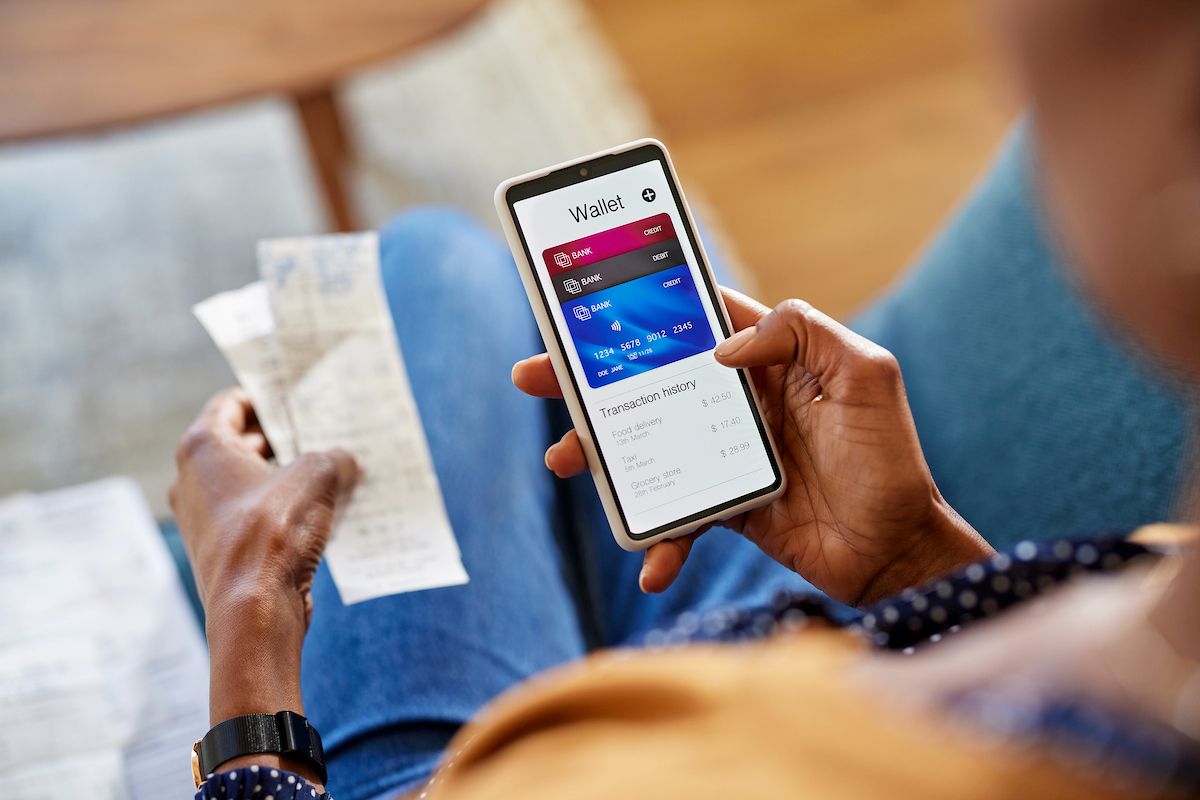
ACI Speedpay Biller Impact Study: A new era in bill pay has arrived
Discover the strategies and innovations shaping the next era of bill payment
The case for lenders to accept debit card payments
There is a strong, growing consumer preference for using debit cards with bill payments, especially among younger generations

Why modern bill pay requires more than the lowest-cost rail
Billers across industries, from mortgage servicing to credit cards, utilities, and insurance, are actively modernizing their bill pay infrastructure.

The modern debit card: The engine behind seamless payments
Cards continue to play a central role in bill pay and recurring payments, giving customers a familiar, trusted way to complete transactions across channels.

John Savoia brings more than 25 years of expertise in fintech, specializing in cross-border payments, money transfers, and real-time payment systems. A seasoned public speaker for more than three decades, he also serves as a LinkedIn Segment host for #TalkingPayments, where he shares insights and leads discussions on the evolving landscape of financial technology.